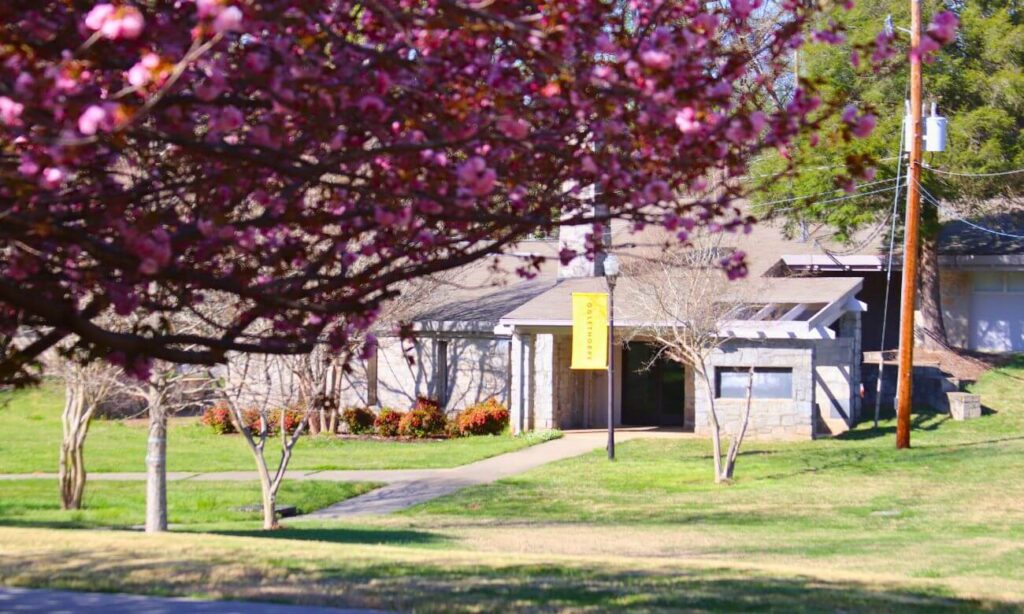
Philip Weltner Library
Oglethorpe University’s Philip Weltner Library is at the heart of campus in Lowry Hall. As the campus gateway to resources and services, The Philip Welter Library supports and enhances educational programs of the university. We are committed to building students’ lifelong learning skills in finding, evaluating and applying information.
Hours
Fall 2025
August 22 – December 12
| Sunday | 2:00 p.m. - 10:00 p.m. |
| Monday | 8:30 a.m. - 10:00 p.m. |
| Tuesday | 8:30 a.m. - 10:00 p.m. |
| Wednesday | 8:30 a.m. - 10:00 p.m. |
| Thursday | 8:30 a.m. - 5:00 p.m. |
| Friday | 8:30 a.m. - 5:00 p.m. |
| Saturday | 12:00 p.m. - 5:00 p.m. |
Ask a Librarian
For general inquiries, you can email [email protected] or call the Library Main Desk at 404-364-8511. We are happy to assist you.
You can also chat with a library staff member using the Ask a Librarian online chat. Just click the floating chat button on the library website when it’s active.
For more specific assistance, you can request a research consultation with the Reference and Instruction Librarian or email [email protected].
FAQs
We have recently updated our visitors’ policy. Alumni are welcome to use the library. Unaffiliated visitors and alumni should consult our Visitors Policy.
To find books in our library, consult the Library Catalog search box at the top of this page. You can also search other libraries for additional research options. Our books are shelved in call number order using the Library of Congress Classification System.
For help searching the catalog or GALILEO, please use one of our Ask a Librarian options at the top of this page.
Check the Journal Finder to see if we have a print or electronic copy of the journal for the date range that matches your citation. For more details, please visit our Journal Finder Help page.
Please contact a reference librarian using one of our Ask a Librarian options above. Also consult our information literacy section or consider attending some of our instruction programs.
To access your library-provided, personal subscription to the New York Times and Wall Street Journal, please follow the below directions.
To sign up for the New York Times:
Step 1: Visit https://www.nytimes.com/activate-access/edu-access
Step 2: Search and select “Oglethorpe University” (you will be redirected to the NYT registration page)
Step 3: Click “Create Account” and complete fields; you must use your oglethorpe.edu email (if you already have an account linked to your Oglethorpe email address, click “Already have an account”)
Step 4: Verify your account (you will receive a confirmation email)
(You have access to the NYT news app, too.)
To sign up for the Wall Street Journal:
Step 1: Visit https://partner.wsj.com/enter-redemption-code/OGLEf5uhh80j
Step 2: Choose your category and enter your name and Oglethorpe email address
Step 3: Verify your account (you will receive a confirmation email)
(You have access to WSJ news app, too.)

The average turnaround time is a business week. This varies depending on type of material and lender.
Please follow These instructions to print from your own device.
How do I add funds to my printing account?
To add printing funds, please follow the instructions below:
- Visit papercut.oglethorpe.edu/user.
- Log in using your OU account credentials.
- In the sidebar, click on “Add Funds”, then select “Printing”.
- Enter the amount you wish to add, your OU email, and OU ID number.
- Complete the payment to finalize the transaction.
For information on the OUMA, including hours of operation and current exhibition information, please see the museum’s website.
If you lose money in the vending machines located in the 24-hour room, please visit Aramark Dining Services for reimbursement. The Dining Hall is located on the second floor of the Turner Lynch Campus Center.
Library Staff
Latest News
- Academics, Career Development